Features
Everything you need to apply with confidence
From the first match score to documents, interview prep, coaching, and support, every screen is built around better applications.
Job searching is broken for candidates
Most applications fail before a human ever reads them. Here is what gets in the way.
Generic resumes get ignored
Sending the same resume to every job means ATS systems and recruiters filter you out before a human even reads your application.
You never know why you were rejected
Without a match score, you apply blind. You don't know what skills you're missing or which keywords the job actually requires.
Tailoring by hand takes hours
Rewriting your resume and cover letter for every job is exhausting. Most people give up and send generic applications instead.
The workspace
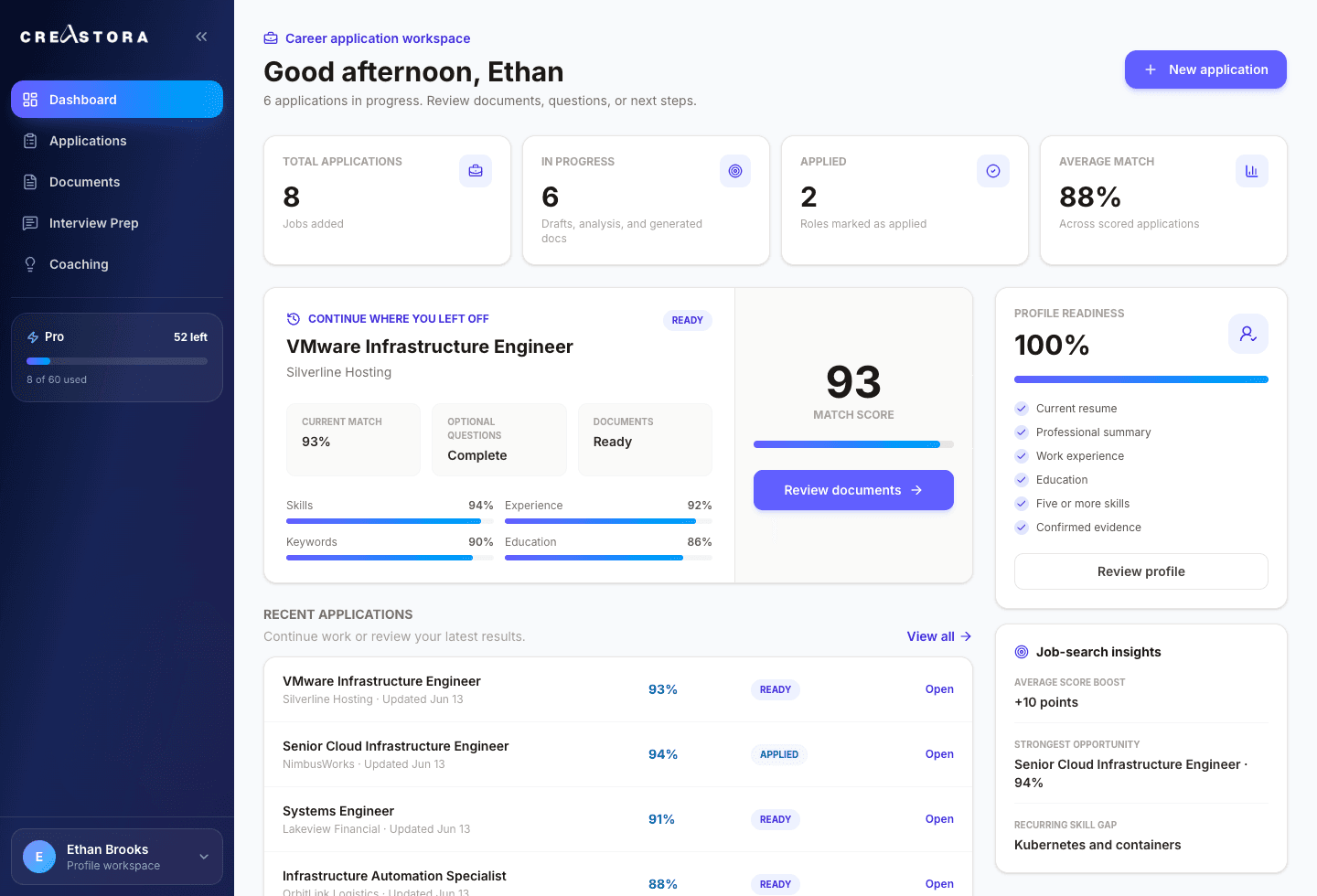
One calm place for the entire job search
Click through the product. Every screen is built to move you from a job posting to a polished, confident application.
Capabilities
Every step of the application, done well
Match intelligence
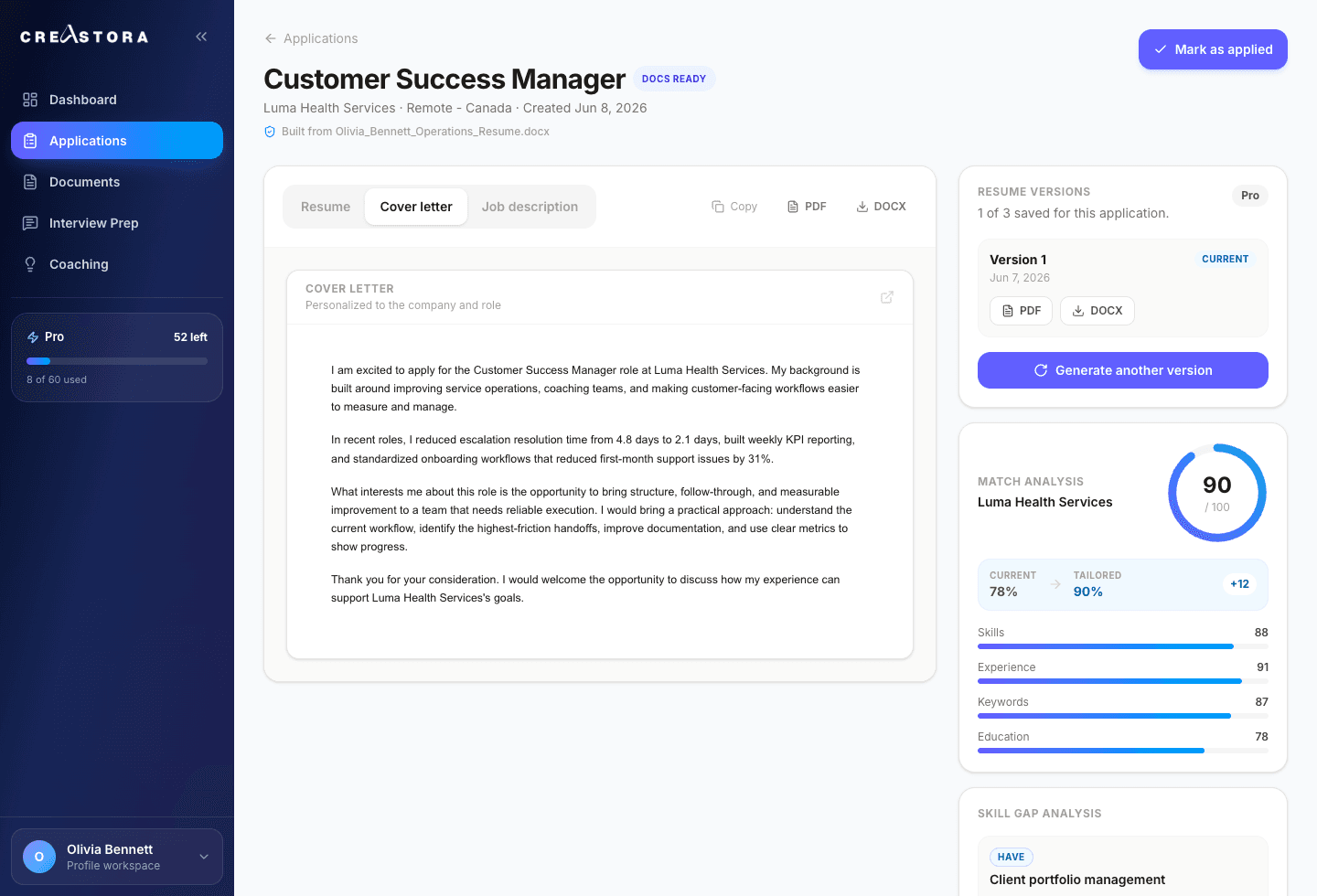
Know your odds before you spend time applying
Paste any job description and get an instant match score out of 100, broken down by skills, experience, keywords, and education. Focus your energy where you actually stand a chance.
- Instant score with a clear breakdown
- Skills you have, partially have, or are missing
- Smart clarifying questions to strengthen the fit
Tailored documents
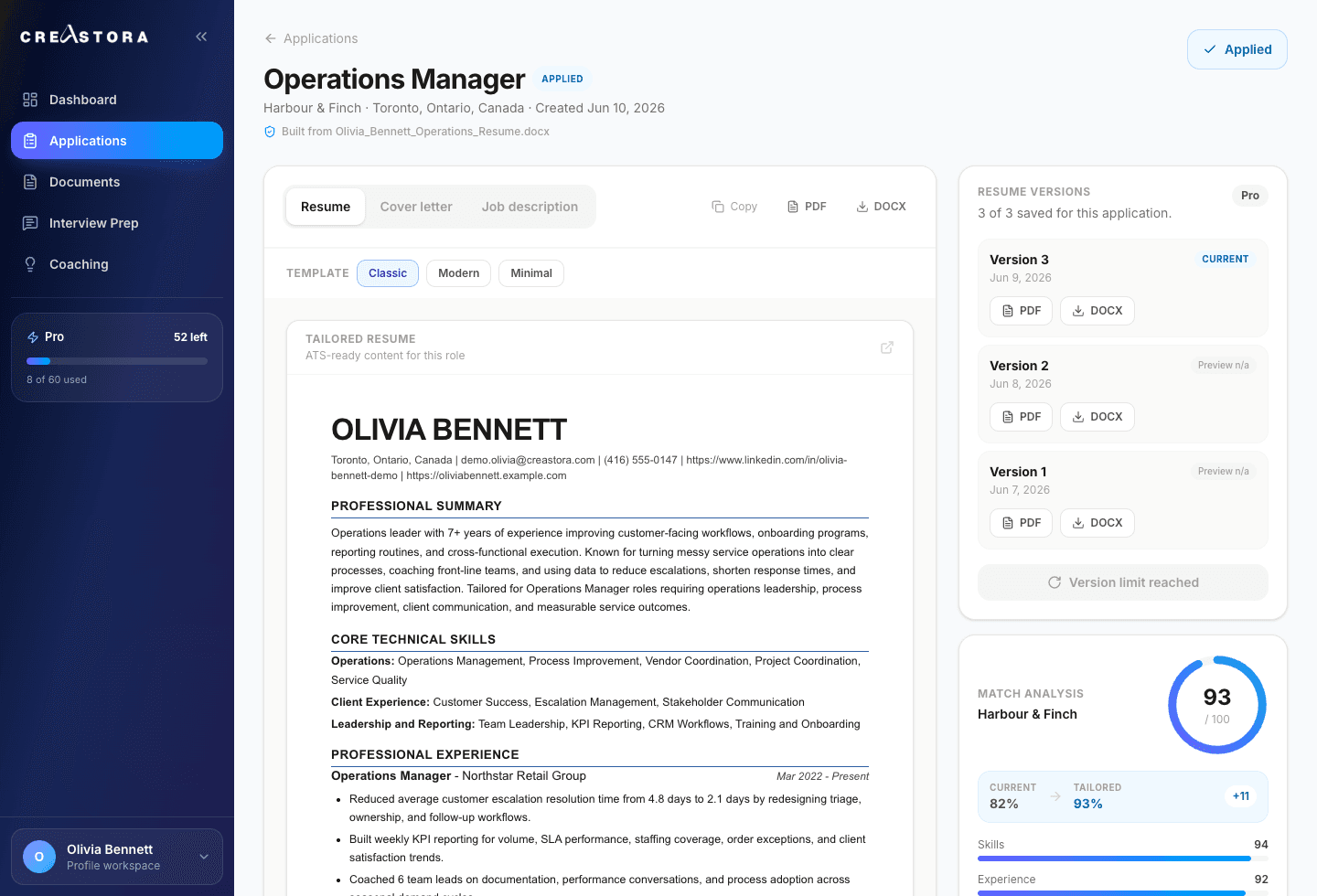
A resume rewritten for every single job
Creastora restructures your real experience to highlight what matters most for each role and weaves in the right keywords naturally. It never invents experience you do not have, so your resume stays honest, just sharper.
- Reworked for each job description
- ATS-friendly formatting and keywords
- Export polished PDFs, with DOCX on Pro
Cover letters
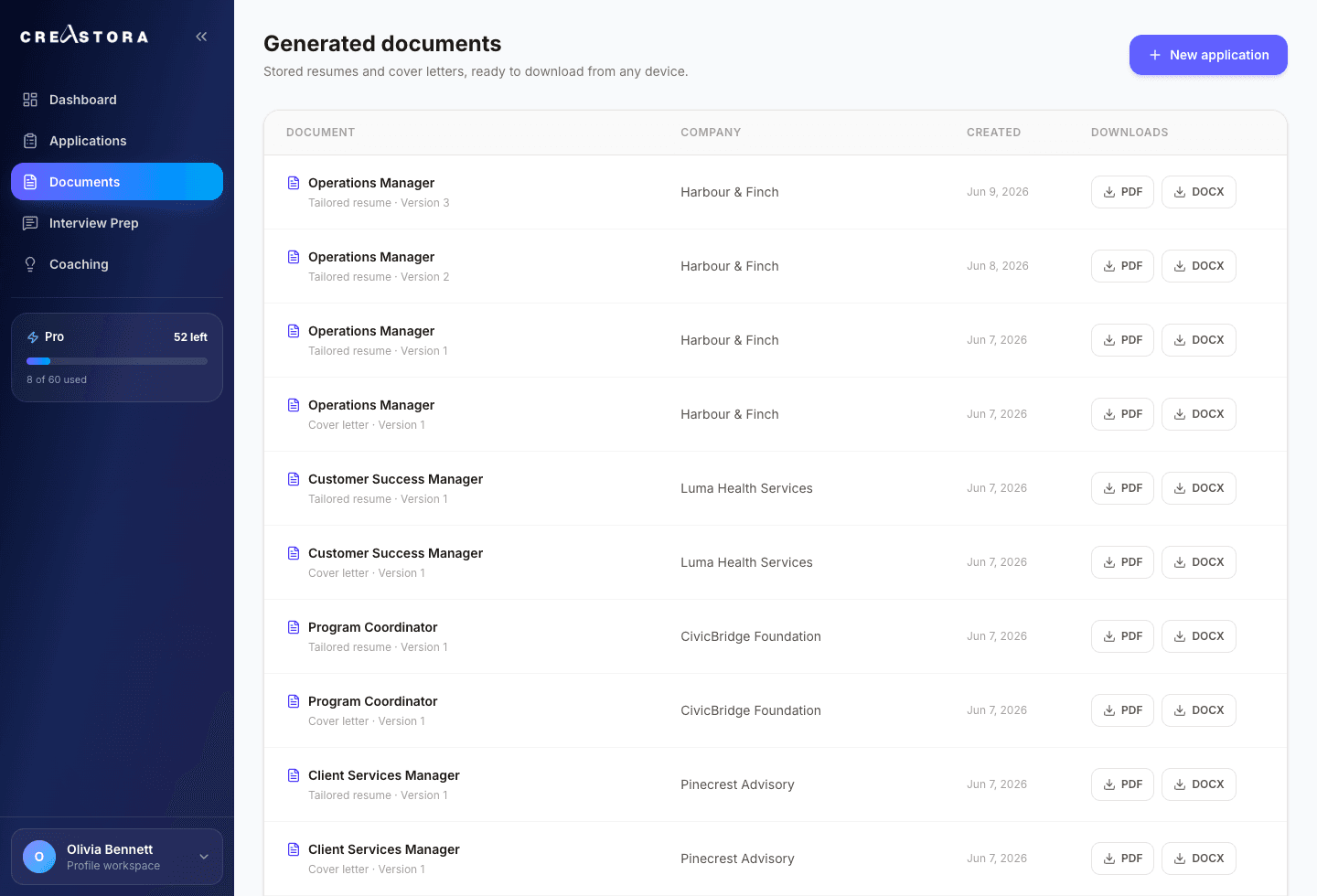
Cover letters in the tone you choose
Creastora Pro users generate cover letters personalized to the company and role, in the tone that fits the moment. Every letter is grounded in your approved profile, not made up.
- Choose the tone for each role
- Personalized to company and job
- Ready to download and send
Career coaching
Turn repeated gaps into a practical plan
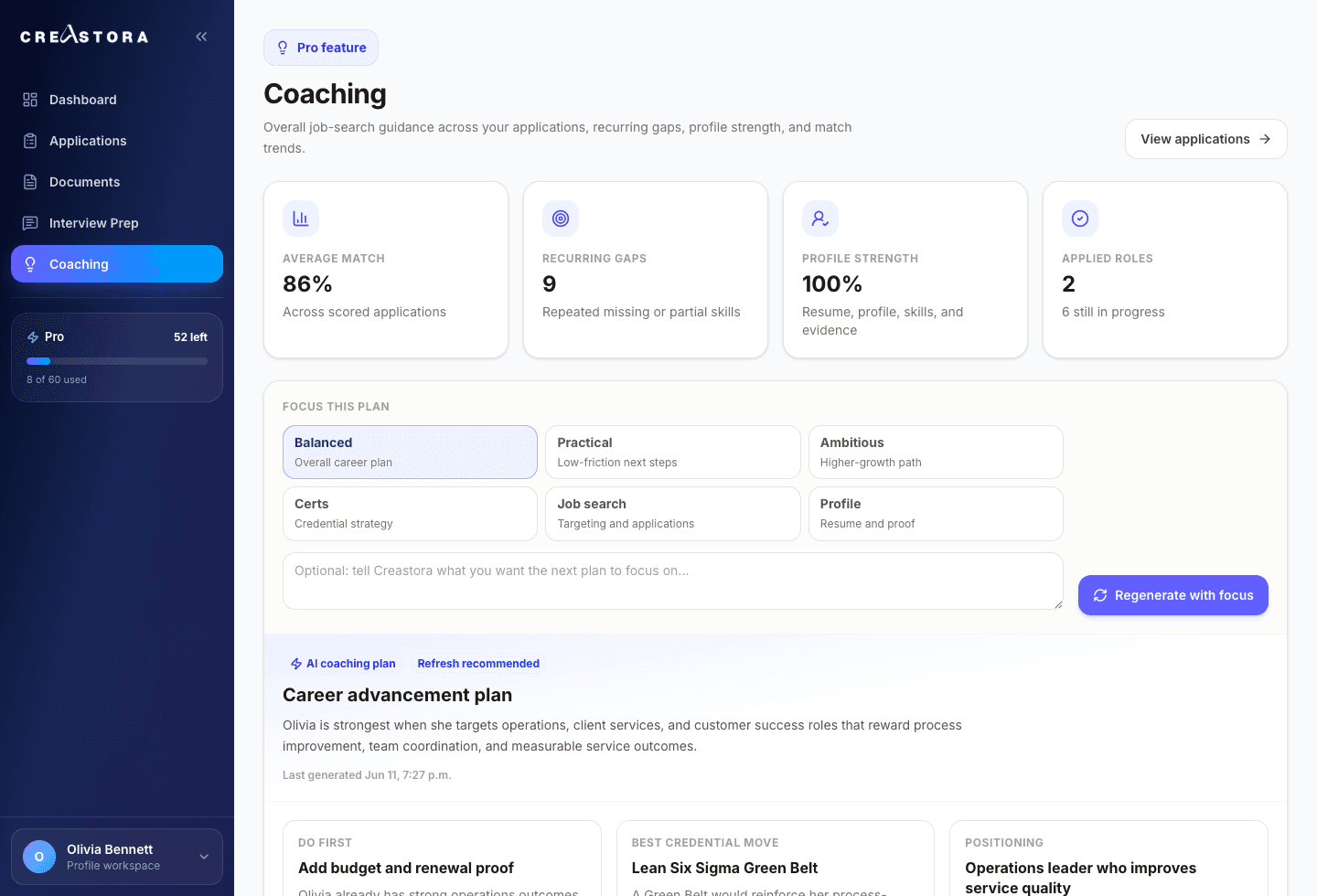
Creastora Pro users get an overall coaching plan that reads across their applications, surfaces recurring gaps, and recommends realistic next moves. Regenerate it any time with a specific focus.
- Reads across all your applications
- Identifies recurring skill gaps
- Recommends the highest-impact next move
Support
Priority support, attached to your account
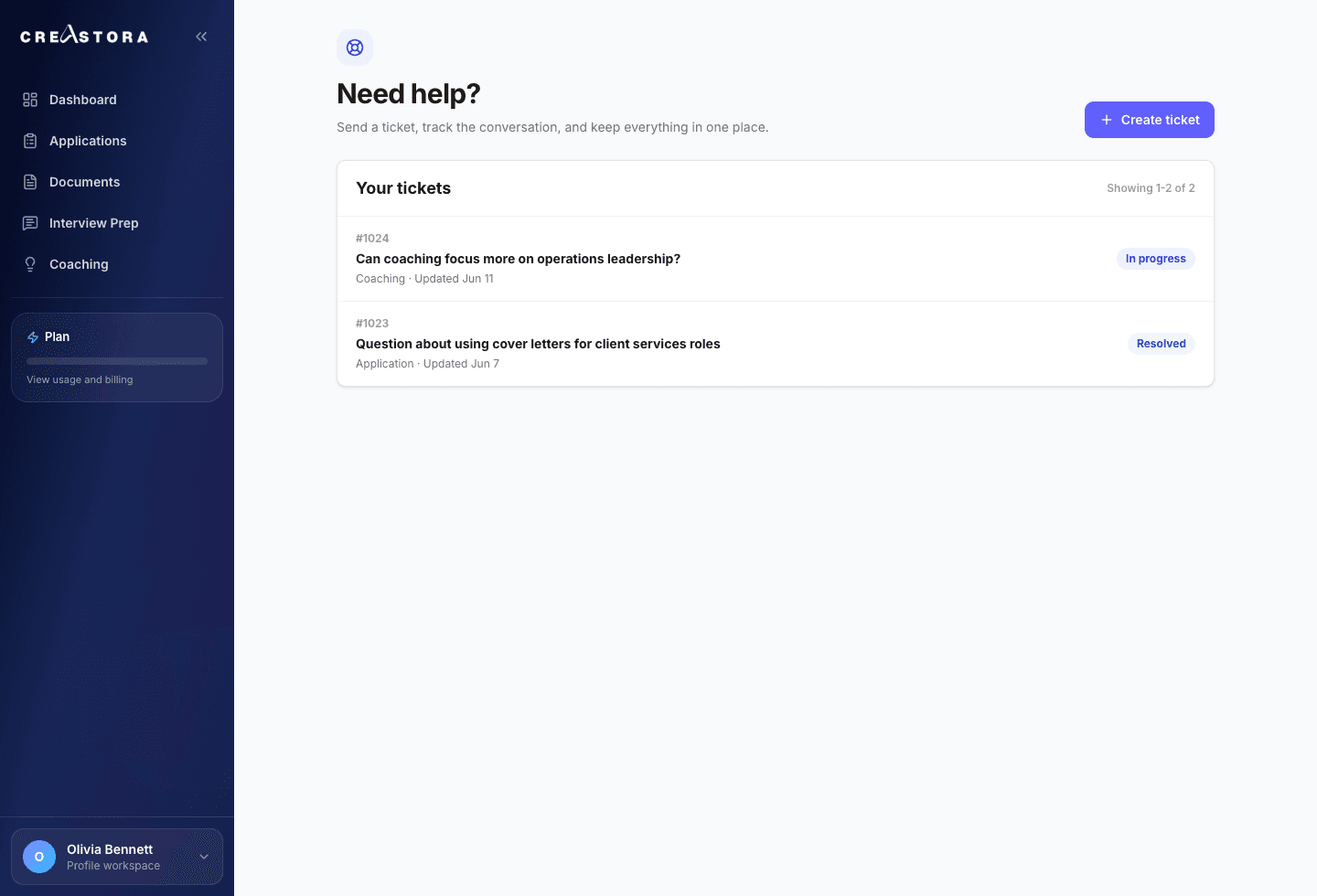
Support lives right inside your workspace. Creastora Pro users open tickets, add comments, and follow status updates, with the whole conversation kept against their account.
- Create and track tickets in-app
- Comment and follow status updates
- Priority handling for Creastora Pro
See your match score on your next application
The free plan includes 3 tailored applications a month. No card needed.
The rest of your toolkit
Resume templates
Three ATS-safe designs. Classic is free; Creastora Pro unlocks Modern and Minimal, and you can switch the template per application.
Saved job description
The full posting is kept with every application, so the role, your tailored resume, and your cover letter all stay together, even weeks later.
Smart clarifying questions
Targeted questions surface the evidence that strengthens your match, and your answers carry forward to future applications.
Resume versions
Creastora Pro users generate up to three resume versions per job and switch the active one anytime.
Ready to land your next role?
Apply smarter with match analysis, tailored documents, and the right plan for your job search. Start free today, no card needed.